History
The "History View" provides a comprehensive overview of all past sessions within the system. This allows users to monitor and analyze specific session instances.
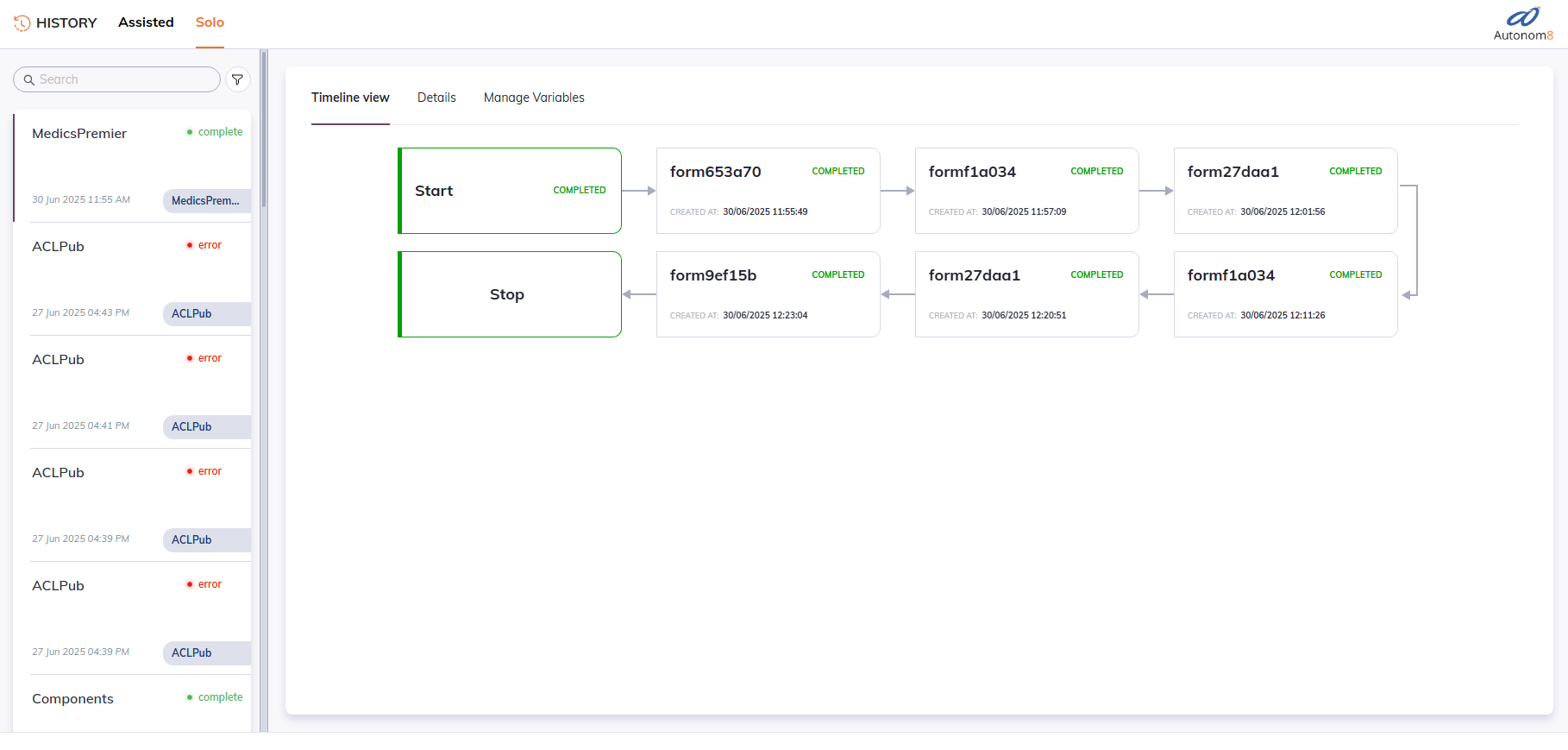
The core of the History View is a list of all inactive sessions, highlighted by their status.
- Expired: The session concluded because it exceeded its defined time limit or validity period.
- Complete: The session successfully finished all its steps.
- Error: The session terminated due to an encountered error during its execution.
- Timed Out: The session ended prematurely due to a lack of activity or exceeding a specific inactivity threshold.
Note: Active sessions are excluded from this view.
Timeline View
Displays the detailed, visual representation of a specific session's journey through its associated flow. The Timeline View focuses exclusively on the path taken by that individual session.
Specific Path Tracking: If a flow involves conditional logic (e.g., a condition node branching into different forms), the timeline will precisely illustrate which branch and subsequent steps the session executed, rather than showing all possible paths.
This view is a read-only historical record, displaying the session's progression "as is" without any modifiable elements.
Session Details
Clicking the Details tab will open the selected session's detailed view screen.
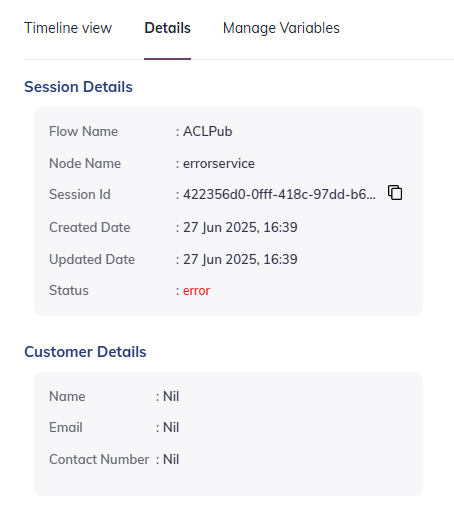
- Private Flows: For sessions originating from private flows, customer details will be included alongside the session's operational information.
- Public Flows: For sessions from public flows, only session-specific details will be displayed, with customer information remaining private.
Manage Variables
This section allows for interatcion with the variables associated with the selected inactive session.
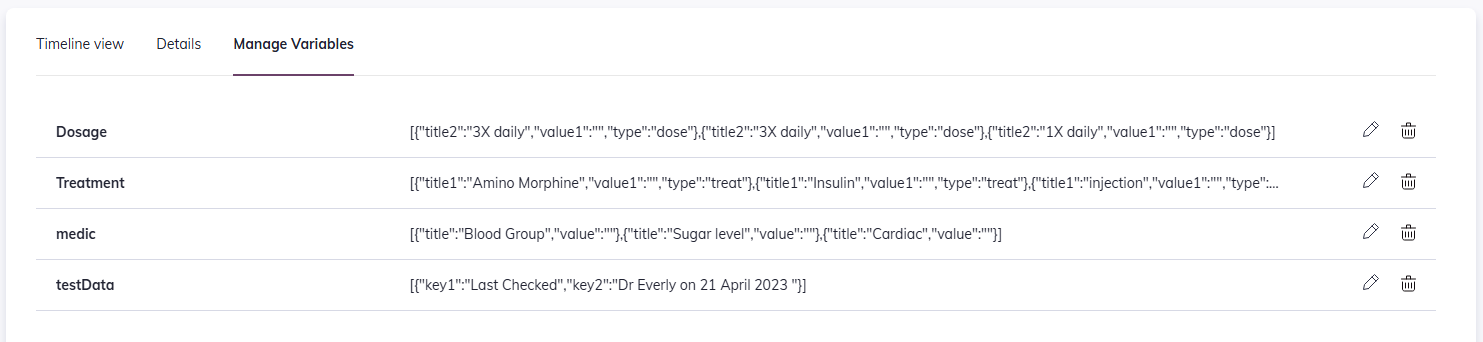
- Variable Display: All variables present at the time the session became inactive are listed.
- Edit & Delete Options: For each variable, users have the ability to edit its value or delete the variable entirely.
Reactivate Session An important functionality within the History View is the ability to reactivate a past session.
Functionality: This feature allows you to set a current node within the session's flow, effectively choosing a point from which the session should resume. Once the node is set, the session is then reactivated, returning it to an active state and allowing it to continue its execution from the specified point.