Group Management
The "Group Management" feature organizes users into categories, streamlining access and authorization. Groups serve as a fundamental component to control access and permissions within the tool. Authorized users can only view, edit, or delete what they have specific access or authorization for.
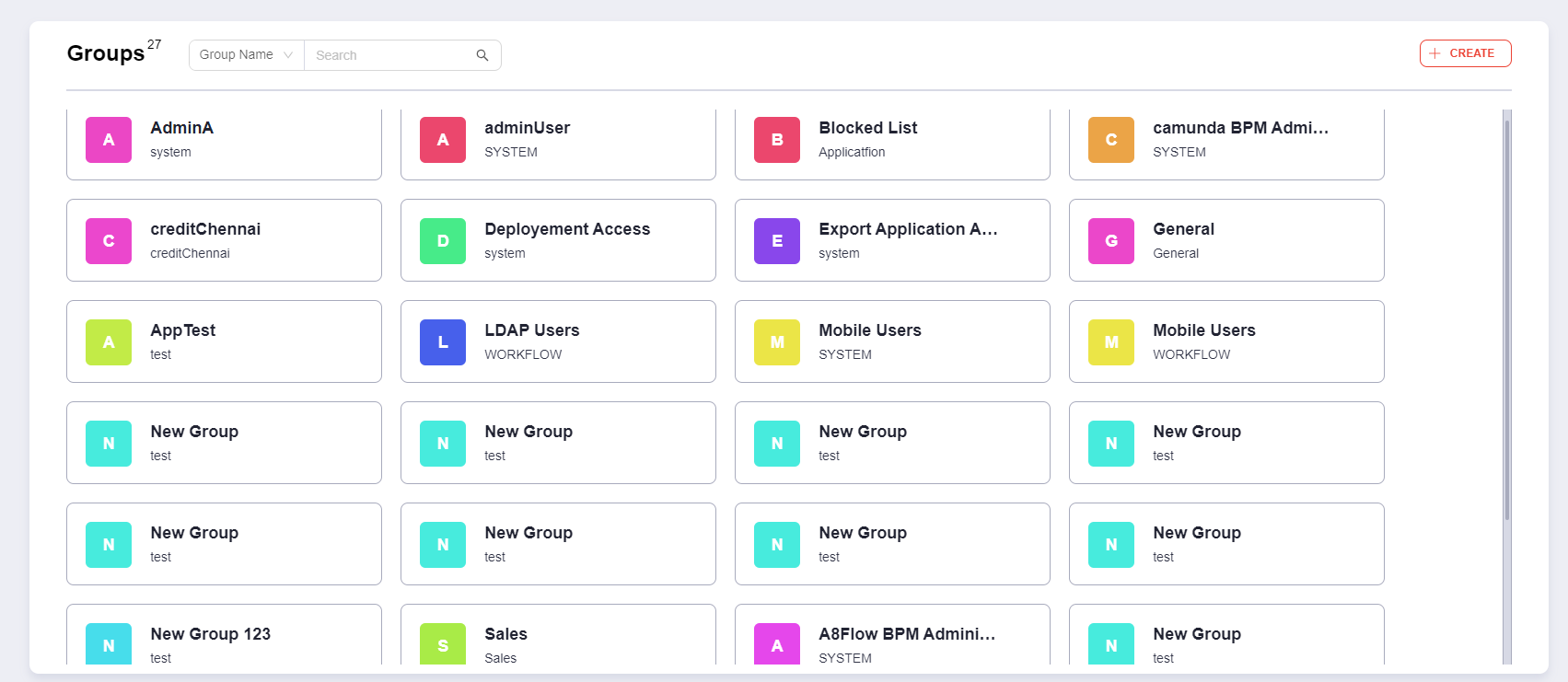
Group List Display a list of all the groups within available based on the authorization level of the user.
Creating A New Group
To create a new group, follow these steps:
- Click on the "CREATE" button positioned at the top right corner of the screen.
Group Configuration Fields:
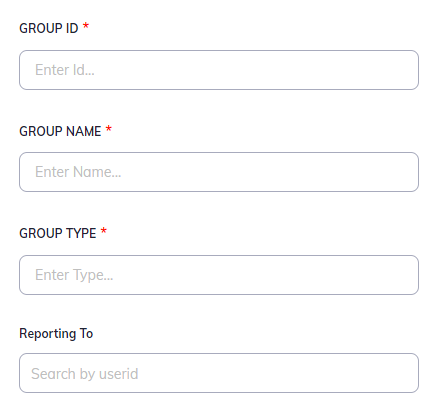
When creating a new group, you will have the following fields to configure and manage:
| Group Details | Description |
|---|---|
| Group ID | A unique identifier assigned to each group, for internal reference. The Group ID is not editable once created. |
| Group Name | The name assigned to the group, used for identification by users. |
| Group Type | Categorizes the group based on client-specific criteria, primarily for reference and organizational purposes. |
| Reporting To | The User ID of the individual to whom the group reports. |
| Access Details | Description |
|---|---|
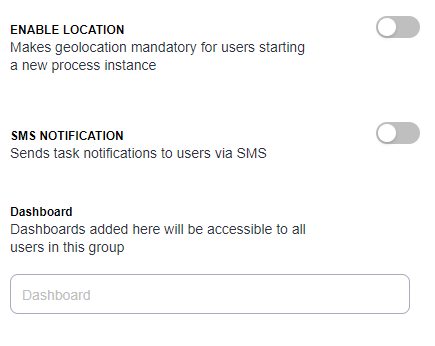
| Enable Location | Mandates geolocation data when users start or end an instance. If the user doesn't accept to share location, it prevents the instance creation. |
| SMS Notification | Automatically sends task notifications via SMS to group members with direct task page links, enhancing communication and task management. |
| Dashboard | Grants access to custom dashboards tailored to the group's requirements, featuring various UI elements, including graphs, pie charts, tables, etc. |
Editing or Deleting a Groups

| Interaction | Description |
|---|---|
| Edit: | Authorized users can make changes to a group's settings by clicking on the pen icon next to the group's name. |
| Delete: | Administrators can remove a group by clicking on the bin icon. Note: Caution should be exercised as this action may impact the access and authorization settings for the group members. |